140W GaN USB-C Charger + 240W Cable: Laptop & Phone
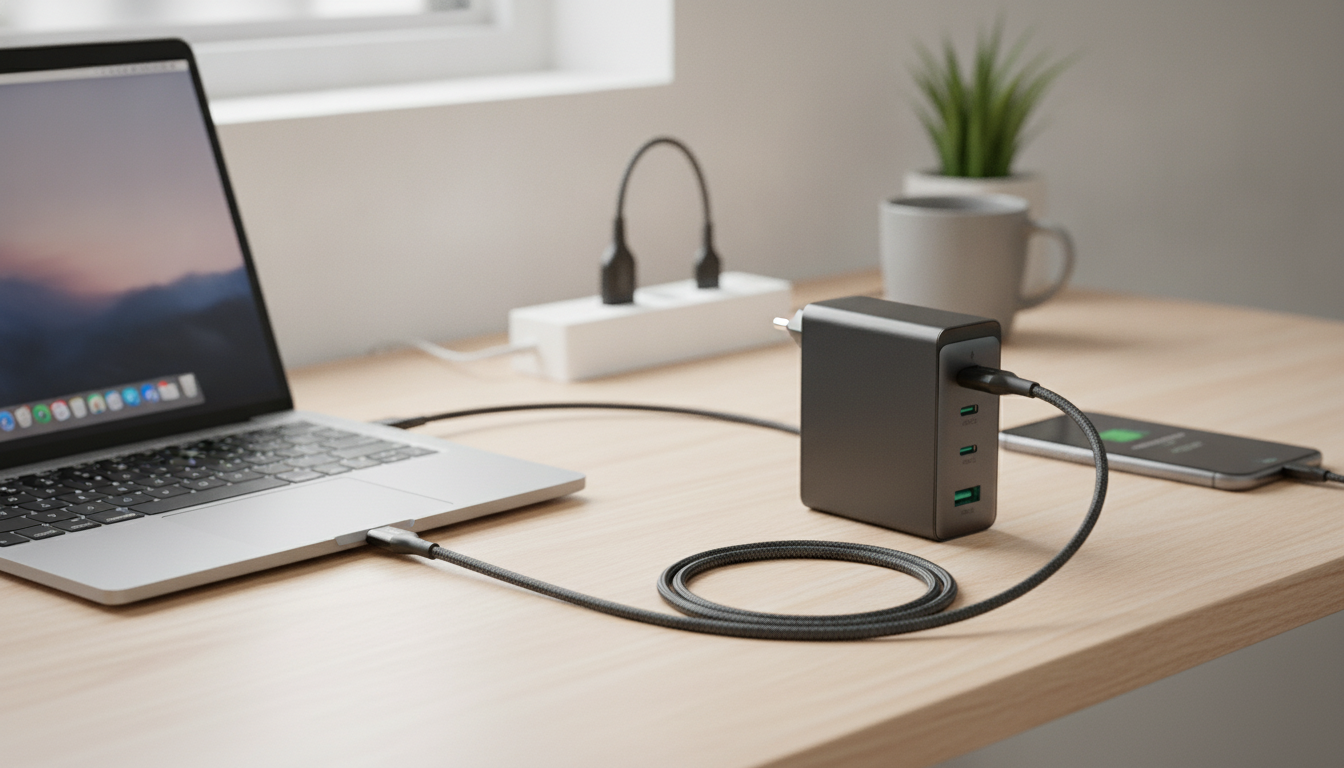
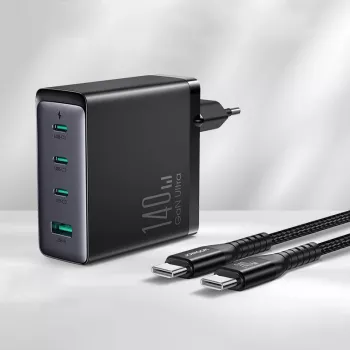
140W GaN USB‑C Fast Charger with 240W Cable for Laptop & Phone
A compact, high-watt USB‑C charger can replace multiple power bricks at a desk, in a backpack, or on the road. A 140W GaN USB‑C fast charger paired with a 240W USB‑C cable is built for modern laptops, tablets, and phones that negotiate power over USB Power Delivery (USB‑C PD). Below is a practical breakdown of what 140W can handle, why the cable rating matters, how to check compatibility, and how to charge safely without leaving performance on the table.
What a 140W GaN USB‑C charger is designed to handle
GaN (gallium nitride) charging technology helps deliver high output in a smaller, typically cooler-running form factor compared to older silicon-based designs at similar wattages. That size-and-efficiency advantage is the reason many travelers and hybrid workers replace a bulky OEM laptop brick with one compact GaN option.
At 140W, the goal is straightforward: confidently power USB‑C laptops that require higher wattage, plus power-hungry tablets, portable monitors, and fast-charging phones (when the phone supports compatible fast-charge modes). It’s also a simple way to reduce cable clutter—one charger, one high-quality USB‑C cable, fewer “just in case” adapters.
Charge speed still depends on the device, not just the charger. Devices negotiate a specific USB‑C PD profile (voltage/current). Battery state (near-empty vs. near-full) and thermal limits can also slow charging, even when the charger has plenty of headroom. For more background on how negotiation works, see the USB Power Delivery overview.
Typical power needs for common devices (for quick compatibility checks)
| Device type | Common charging range | What it means with a 140W charger |
|---|---|---|
| Phones (USB‑C fast charge) | 18–45W | Charger has ample headroom; phone will draw only what it negotiates |
| Tablets | 20–45W | Comfortably supported; good for charging while in use |
| Ultrabooks (13–14 inch) | 45–65W | Full-speed charging in most cases |
| Work laptops (15–16 inch) | 65–100W | Typically supported if the laptop accepts USB‑C PD |
| High-performance USB‑C laptops | 100–140W | Can match higher PD profiles when the laptop supports them |
| Accessories (earbuds, power banks) | 5–30W | Safe; devices negotiate down automatically |
Why the included 240W USB‑C cable matters
High-power USB‑C charging isn’t only about the charger—your cable can be the limiting factor. A 240W-rated USB‑C cable is designed to support newer USB‑C Extended Power Range (EPR) scenarios when used with compatible devices and chargers. Using an under-rated cable can cap charging speed, cause intermittent charging, or lead to frustrating “charging/not charging” behavior when the connection is jostled.
A 240W cable is also a future-proof purchase: it can serve a laptop today and remain useful if you upgrade to higher-power USB‑C devices later. Beyond wattage, practical build quality matters. Look for strong strain relief near the connectors and a length that works at your desk, nightstand, or airport seat without pulling on the port. For additional spec context, the USB‑C cable and connector specification overview explains how USB‑C cables are categorized and why ratings matter.
Compatibility checklist for laptops and phones
1) Confirm USB‑C Power Delivery support
To use higher voltage/current profiles, the device must support USB‑C PD. Many laptops and tablets do; some devices charge over USB‑C but at lower, non-PD rates.
2) Match your laptop’s recommended wattage
Some laptops can “charge” at 60–65W but perform best under load at 90–140W. If your laptop’s OEM adapter is 100W or 140W, a 140W PD charger is more likely to keep up during heavy use (video calls, external drives, multiple displays) without slowly draining the battery.
3) Understand phone fast-charging differences
Many phones use USB‑C PD (often with PPS). Others rely on brand-specific standards; they’ll still charge safely, but may not hit the maximum advertised fast-charge speed unless the phone negotiates it over PD/PPS.
4) Check cable and port condition
Lint in the USB‑C port, a worn connector, or a cable that “wiggles” can trigger slow charging or disconnects. If charging is inconsistent, try a different cable and inspect the port before blaming the charger.
5) Verify travel-friendly power input
If you travel, confirm the charger supports the local voltage range and use a quality plug adapter. A solid adapter helps avoid loose wall connections that can interrupt charging.
Real-world scenarios where 140W makes a difference
Single-charger travel kit
Cleaner desk setup
On-the-go productivity without battery drain
Shared household charging
Safety and performance tips for high-watt USB‑C charging
At-a-glance product overview
Quick reference
| Item | Details to confirm before purchase |
|---|---|
| Charger | Device supports USB‑C PD and can accept the needed wattage |
| Cable | Rated for high power (240W) and the length suits your setup |
| Use case | Travel kit, desk replacement, or mixed device charging |
In-stock picks
- 140W GaN USB‑C Fast Charger with 240W Cable for Laptop & Phone
- Pinko Women’s Red Leather Shoulder Bag with Clip Fastening
- Calvin Klein Jeans Men’s White Polo Shirt
FAQ
Will a 140W USB‑C charger charge a phone safely?
Yes. USB‑C Power Delivery negotiates power, so the phone draws only what it supports. A higher-watt charger provides capacity, but it doesn’t force extra wattage into the phone.
Why does my laptop charge slowly even with a high-watt charger?
Common causes include the laptop supporting only lower PD profiles, using a low-rated or damaged cable, heavy CPU/GPU load, or charging limits when the battery is hot or near full.
Do I need a 240W cable to use a 140W charger?
Not strictly, but a 240W-rated cable helps prevent the cable from becoming the bottleneck and is better suited for higher-power USB‑C charging scenarios.




Leave a comment